Menu
Inscription / Connexion

Les membres de la meute avancent plus vite.
🐺 Rejoindre la meuteDéjà membre ? Connectez-vous

Disponibilité: En stock
Impossible de charger la disponibilité du service de retrait


Active Noise-Cancellation: Yes
Audio Codecs: LDAC / SBC
Battery life up to[hours]: Earbuds: 10 Hours
Bluetooth Version: Other,6.0
Brand Name: Tronsmart
Category: Earphones & Headphones
Certification: CE,EAC
Charging Case Playtime: 40 Hours
Charging Method: Charging case
Codecs: sbc,LDAC
Communication: WireLess
Control Button: No
Depth[mm]: 137
Earbuds Case Charging Time: 2 Hours
Earbuds Charging Time: 1.5 Hours
Earbuds Playtime: 10 Hours
Fast Charge: 10 mins to 1Hours
Features: Waterproof,With microphone,Active Noice Cancelling
Frequency Band: 2.402GHz-2.480GHz
Frequency Response Range: 20 - 40000
Function: For Internet Bar,Monitor Headphone,for Video Game,for Flying,Common Headphone,For Mobile Phone,HiFi Headphone,Sport,For Hearing Aid,For Outdoor,For Office,For Study
Height[mm]: 4
High-concerned chemical: None
Impedance Range: up to 32 Ω
Is wireless: Yes
Material: Plastic
Maximum Transmit Power: 8dBm
Maximum wireless range[m]: 10m-20m
Model: A1000
Modes: Ambient Mode/Noise Cancellation Mode/Standard Mode
Multi-point Connection: Yes
NFC Technology: No
Origin: Mainland China
Package List: User Manual,Charging case
Plug Type: NONE
Product name: Tronsmart NC 2
Sound Isolating: Yes
Style: Tws in-ear headphones
Support APP: Yes
Support Memory Card: No
Vocalism Principle: Dynamic
Voice assistant built-in: No
Volume Control: Yes
Waterproof: Yes,IPX5
Weight[g]: 160
Width[mm]: 11
Wireless Profile: A2DP / AVRCP / HFP / HSP
Wireless Type: Bluetooth
With Microphone: Yes
Dive deep into 3× deeper noise reduction, cutting distractions with 45dB of pure silence for total focus
Hear music exactly as the artist intended with stunning details
6 mics work with AI algorithms to cancel 90% of ambient noise, even in wind
Listen for 10H on a single charge, and 40H with the case. Plus, 10 mins of charging extends fun for 1 hour
Smart force sensors give you precise fingertip control without annoying accidental taps.
Bluetooth 6.0 ensures seamless pairing and improved efficiency
Hi-Res audio unleashes stunning clarity.

Reduce up to 45dB of noise for true immersion.
Feel right no matter how long you wear them.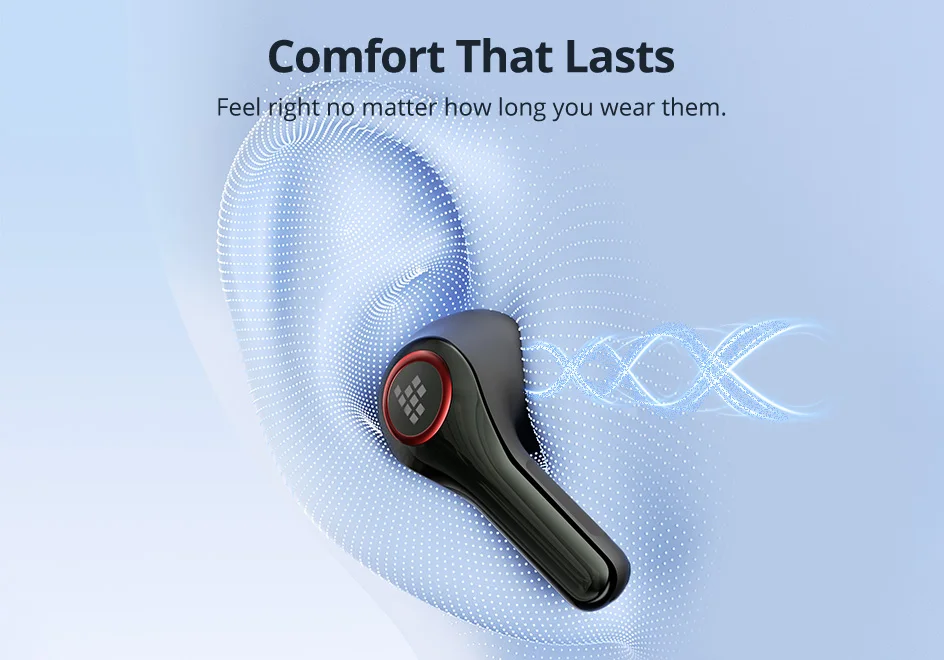
Pair faster and stream smoother with low latency.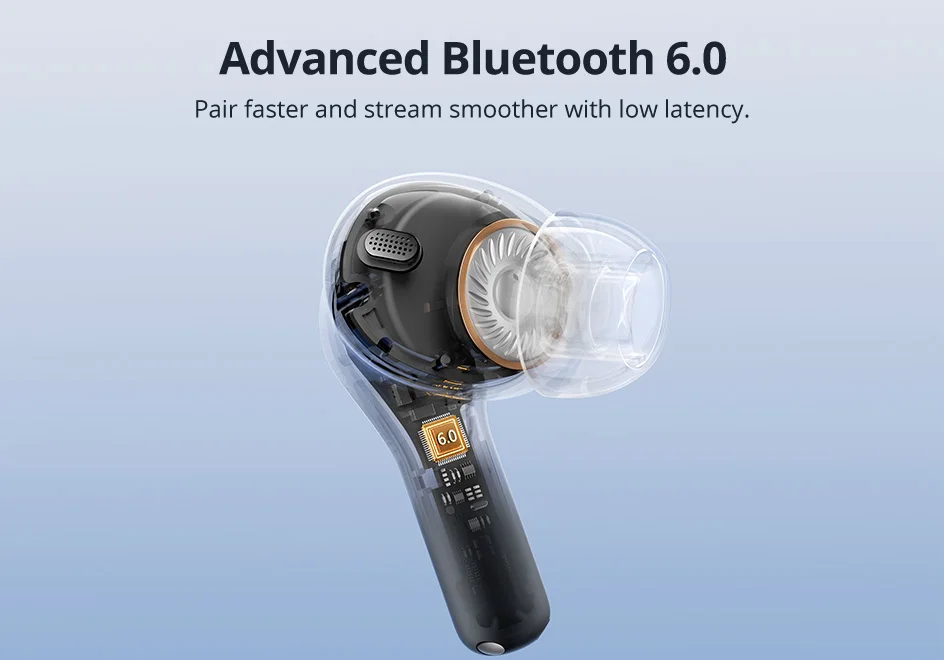
Al-powered mics block 90 % of ambient noise.
Intelligent force sensors respond to intended presses.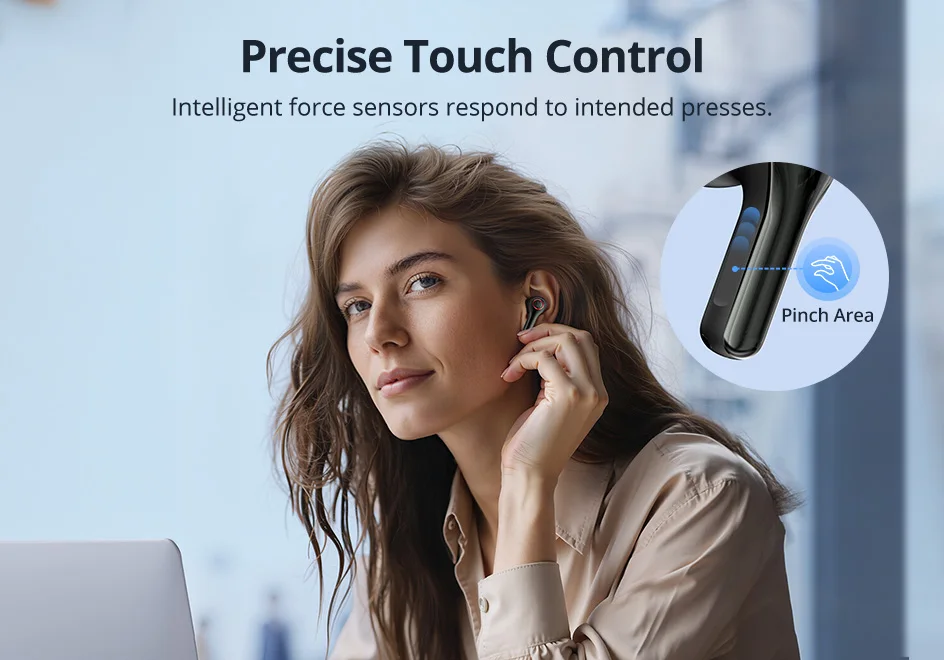
40H playtime keeps your soundtrack going.



Model: A1000
Wireless Version: 6.0
Wireless Profile: A2DP / AVRCP / HFP / HSP
Audio Codecs: LDAC / SBC
Wireless Range: Over 10 meters / 33feet
Frequency Range: 20Hz-40KHz
Playtime of Earbuds: 10 Hours
With Charging Case: 40 Hours
Fast Charge: 10 mins to 1Hours
Charging Time of Earbuds: 1.5 Hours
Charging Time of Case: 2 Hours
Waterproof: IPX5
Frequency Band: 2.402GHz-2.480GHz
Maximum Transmit Power: 8dBm
1x Tronsmart Soundfii NC 2 Hybrid ANC Earbuds(L/R)
5x Ear Tips
1x Charging Case
1x USB-C Charging Cable
1x Quick Start Guide
1x Warranty Card
1. How to connect to a phone and enable multi-point connection?
Open the charging case and the earbuds will automatically power on and enter pairing mode. On your device, search for and select Tronsmart Sounfii NC 2 to connect. After successful pairing, disconnect from this device (Note: do not delete the pairing record on the device). The earbuds will then enter reconnection mode. Search for and select Tronsmart Sounfii NC 2 on a second device to complete multi-point connection.
2. How many modes are available and how to switch between them?
Long-press the right earbud to cycle through three noise cancelling modes: Ambient Mode, Noise Cancellation Mode (Low/Medium/High, adjustable via the App), Standard Mode.
EQ presets include: Tronsmart Classic, Bass Boost, Classical, Podcast, Rock and Custom EQ.
3. How to check the remaining battery of the charging case?
Open the charging case or press the button on the case. The external LED indicators will show the battery level: 4 lights for 100%, 3 lights for 75%, 2 lights for 50%, 1 light for 25%.
4. How to activate the LDAC function?
Enable LDAC in the Tronsmart APP to experience high-quality LDAC audio:
1, Enter the Transmart APP and go to Settings.
2, Tap "Playback".
3, Select "Sound Priority LDAC" to switch to LDAC mode.
4, Select "Enable" to activate LDAC


