Menu
Inscription / Connexion

Les membres de la meute avancent plus vite.
🐺 Rejoindre la meuteDéjà membre ? Connectez-vous

Disponibilité: Stock bas : 32 restant(s)
Impossible de charger la disponibilité du service de retrait


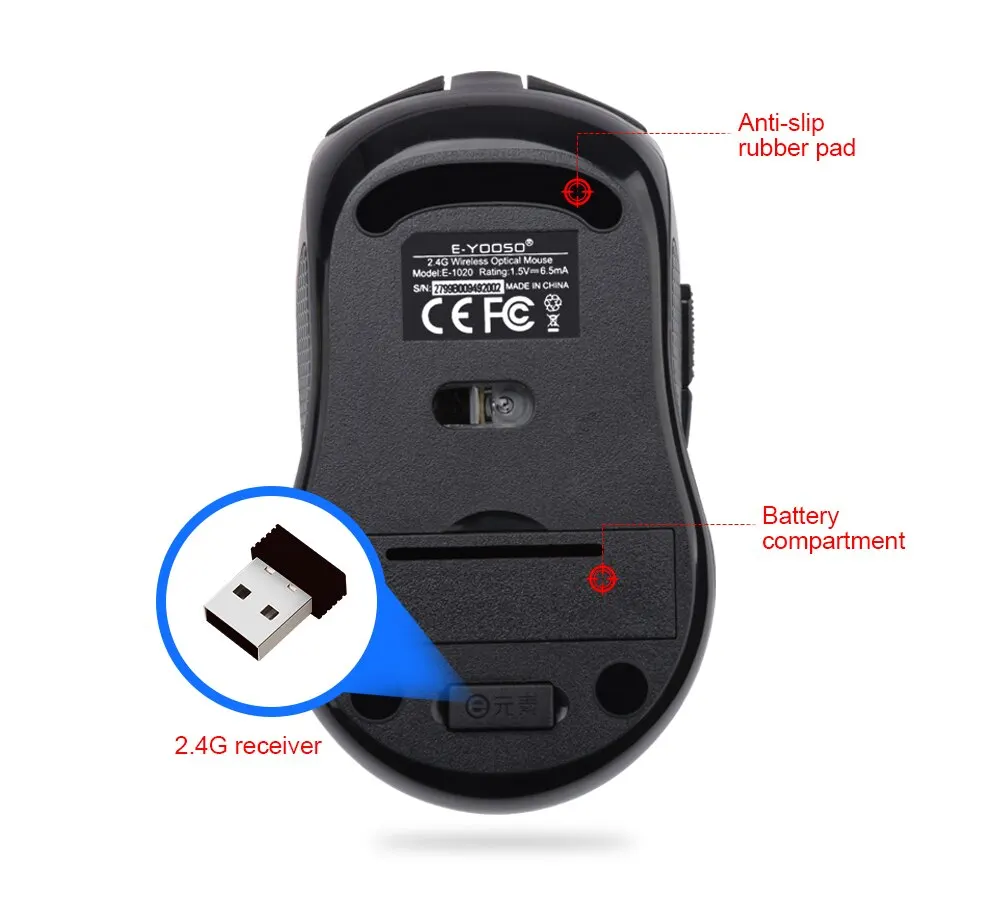
Battery Included: Yes
Brand Name: E-YOOSO
Certification: CE,FCC
Choice: yes
DPI: 2400
Hand Orientation: Right
High-concerned chemical: None
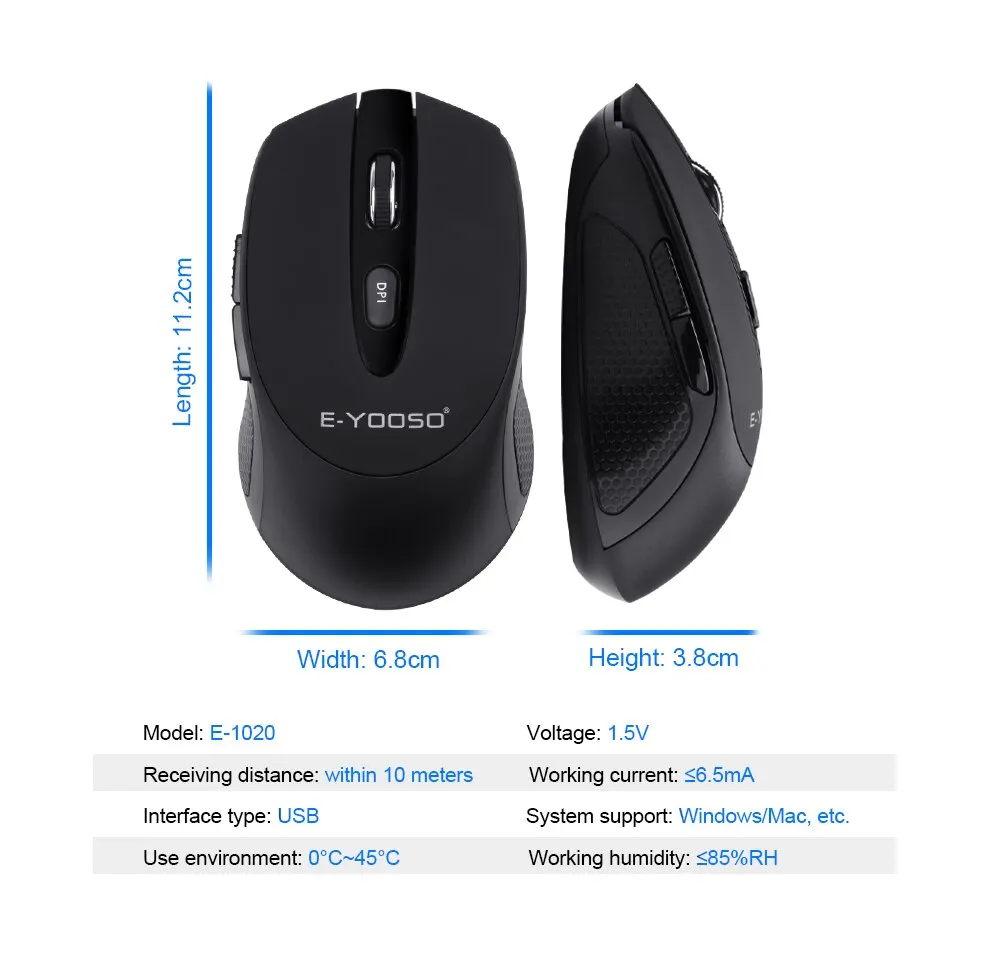
Interface Type: USB
Number of Buttons: 4
Number of Rollers: 1 pcs
Operation Mode: Opto-electronic
Origin: Mainland China
Package: Yes
Power Type: Battery
Style: Mini,DPI adjust button
Type: 2.4Ghz Wireless
• 2400 DPI optical game mice :Enjoy precise and accurate mouse movements with a high DPI of 2400, perfect for gaming and office work.
• Ergonomic design for laptop PC computer :The mouse is designed to fit comfortably in your hand, reducing strain and fatigue during long hours of use.
• Noiseless operation :The mouse operates silently, eliminating distracting clicks and noise during work or gaming sessions.
• Wireless 2.4Ghz connection :Connect to your laptop or computer wirelessly via 2.4Ghz, providing freedom of movement and reducing clutter on your desk.
1. DP adjustment function This mouse has five levels of DP adjustment of 800/1200/1600/2000/2400.The power-on default is 1200DP. If you want to switch to other speeds, please press the DP button to switch DP and you can switch between these five gears until you like the speed. During the switching process, the LED indicator will flash 800DP once, 1200DP flashes twice, 16000P flashes 3 times, 20000P flashes four times, and 2400DP flashes five times.


 2. Return rate adjustment function
The mouse has an adjustable report rate of 125Hz/250Hz. The factory default is 125Hz. Press the right key + middle button for 3 seconds to switch. During the switching process, the 125 Hz LED will flash 5 times slowly and the 250 Hz LED will flash 5 times quickly.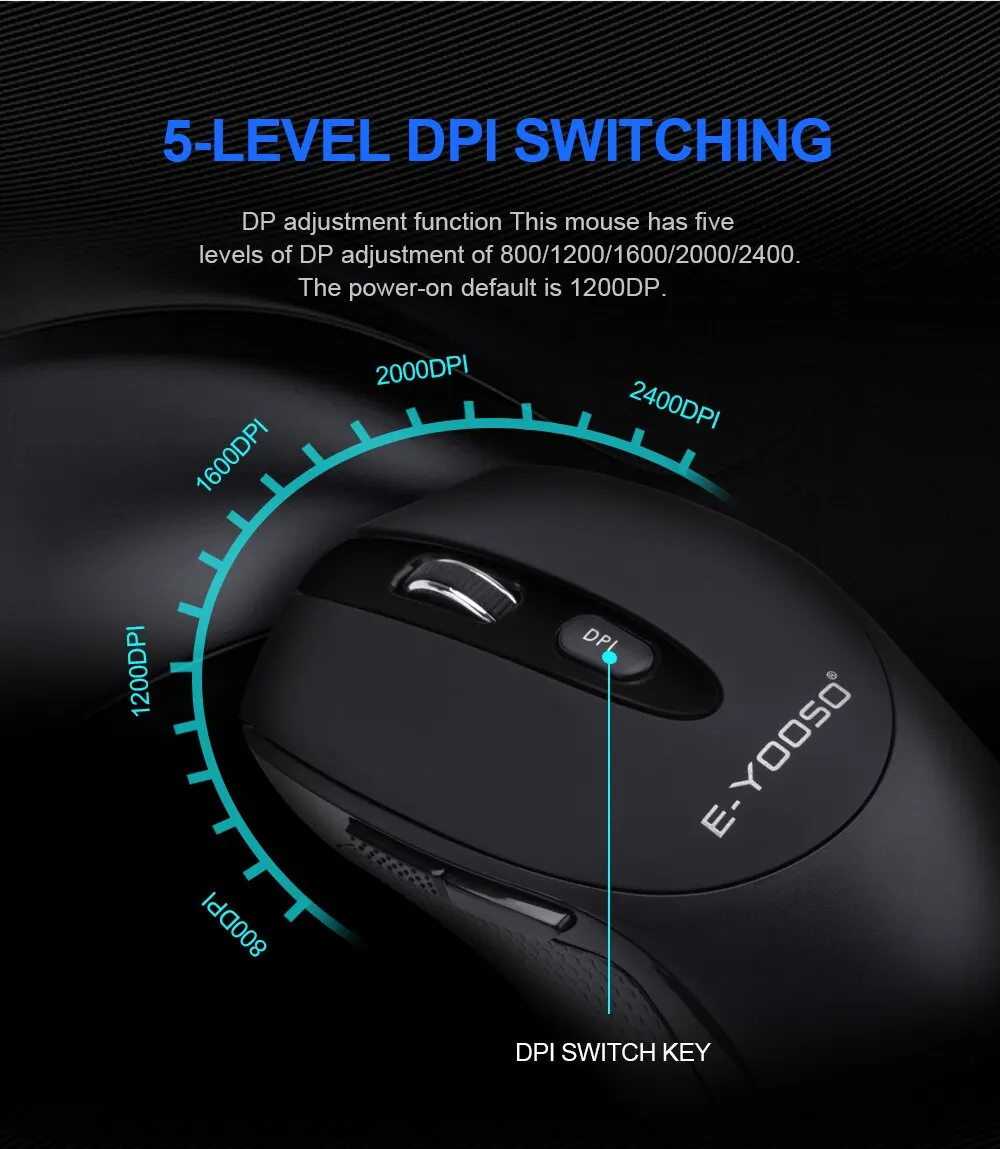

 3. Automatic sleep and complete shutdown function
If you do not use the mouse for 8 minutes, the mouse will enter the automatic dormant shutdown state to save power. You just need to press any key to restart the computer. If you turn off the computer or unplug the receiver, just press a button or move the mouse to enter the dormant shutdown state. 4. Customizable fourth and fifth key functions
The fourth and fifth buttons on the side of the mouse default to back/forward two functions.