Menu
Inscription / Connexion

Les membres de la meute avancent plus vite.
🐺 Rejoindre la meuteDéjà membre ? Connectez-vous

Disponibilité: Stock bas : 5 restant(s)
Impossible de charger la disponibilité du service de retrait


Applicable models: Universal
Application: Desktop,Laptop,Tablet
Backlight Type: MULTICOLOR
Backlight effect: RGB
Battery Included: Yes
Brand: HXSJ (mouse)
Brand Name: LIEI
Certification: CE,FCC
Color: V200 gradual change gray black
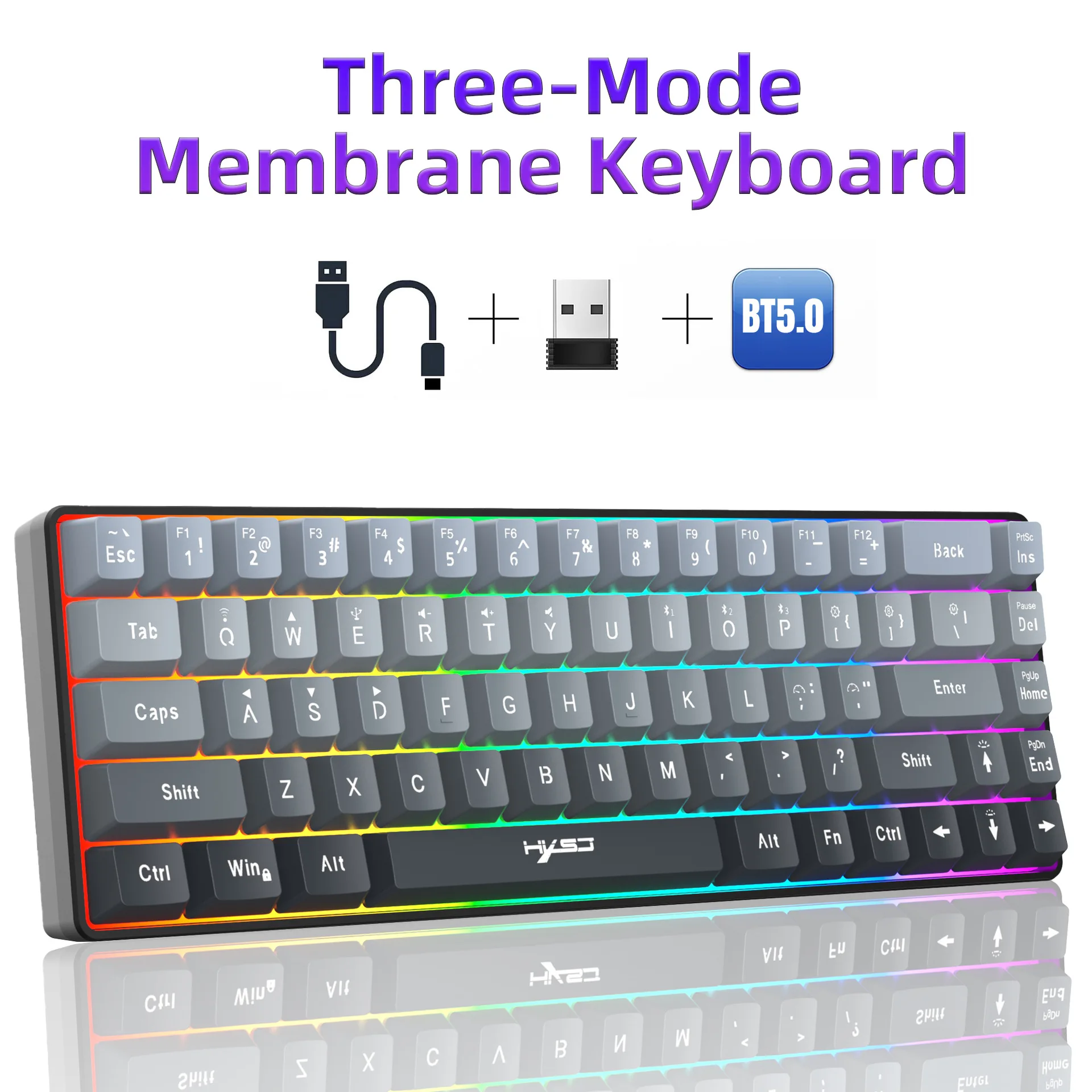
Connection method with computer: three-mode wired/2.4G wireless/Bluetooth 5.0
Full Size keyboard: No
High-concerned chemical: None
Interface Type: USB,Bluetooth,Bluetooth / USB
Key Technology: Crater Architecture
Keyboard Standard: 68 keys
Language: English
Line length: 1.7M
Material: ABS
Number of keys: 68 keys
Operation Style: MEMBRANE
Origin: Mainland China
Package: Yes
Packing List: Products include: Three-mode keyboard, manual
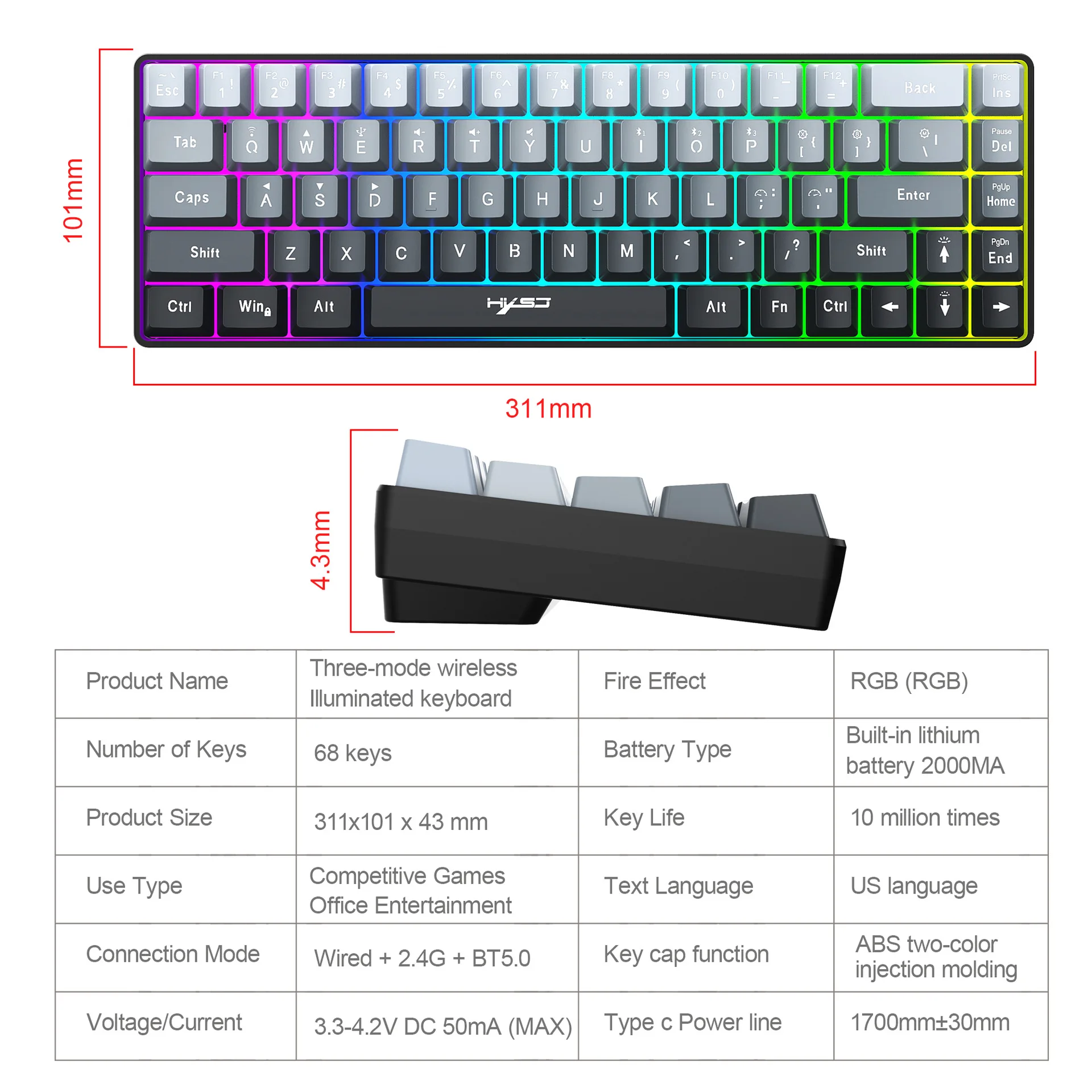
Product size: 31.1x10.1x4.3cm
Product weight: 0.542
Shaft type: membrane keyboard
Simultaneous connected devices: 4 or more
Style: Ergonomics,Gaming,For Laptop,for Tablet
Switches Hot swap: No
Type: Bluetooth Wireless,Gaming Keyboard
Waterproof function: Support waterproof
Whether it is patented Source: No
Wrist Support: No
Selling Point:
1:Tri-Mode Flexible Connectivity:
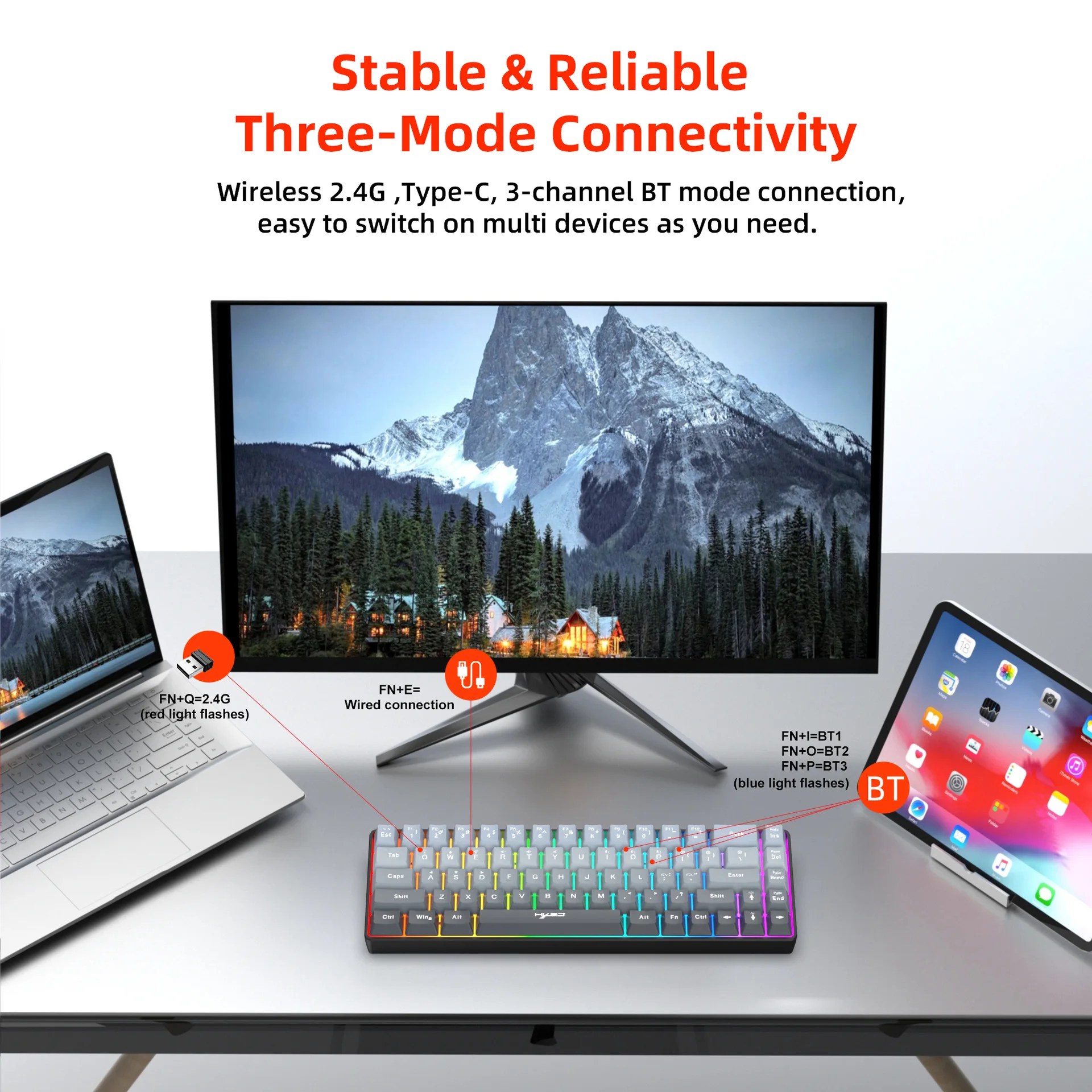
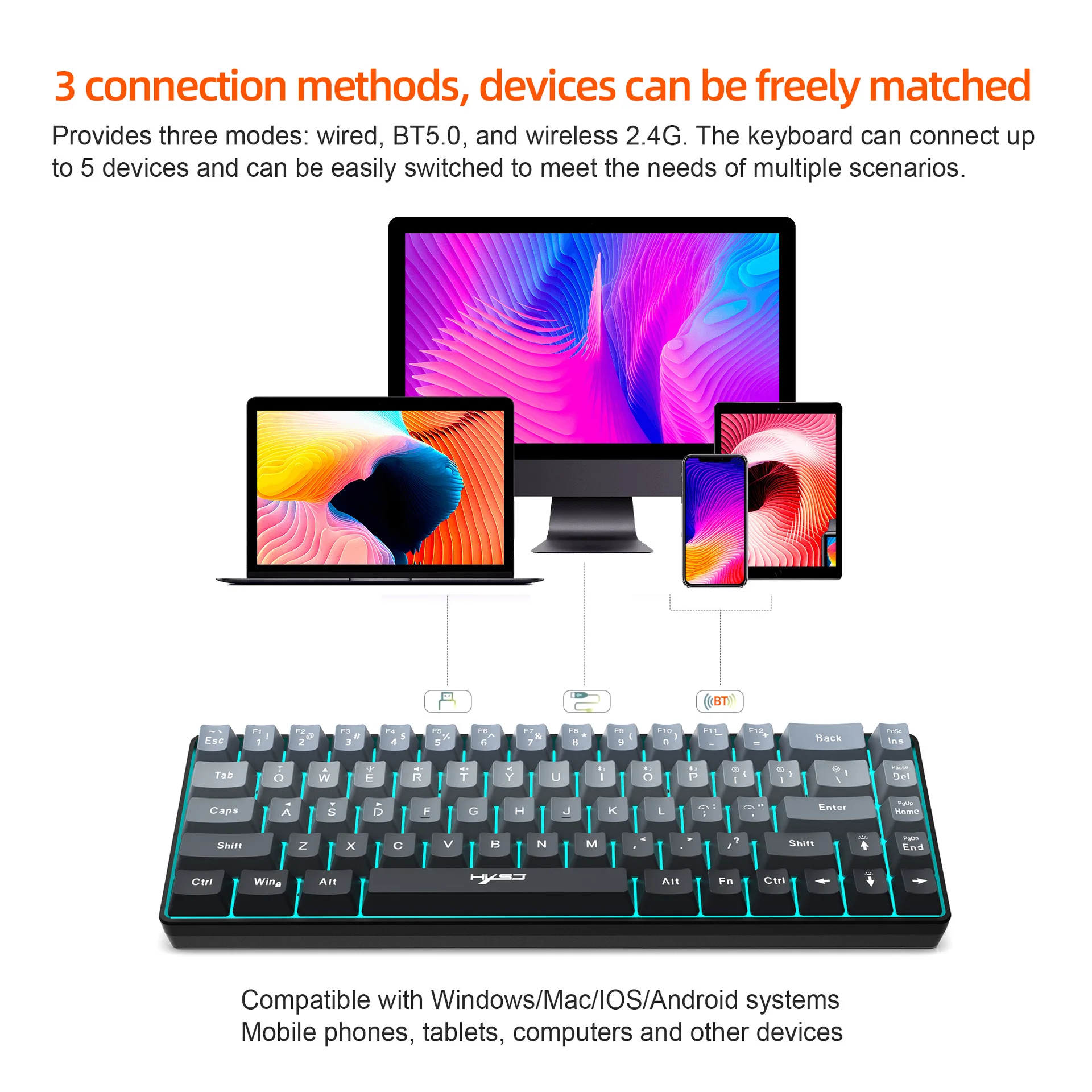
Supports wired / 2.4GHz wireless / Bluetooth 5.0; seamlessly switch between desktop PCs, laptops, and tablets for work or gaming.
2:Durable Gradient Design:
Features fade-resistant gradient gray-black ABS keycaps with double-shot molded UV-coated legends for long-lasting style and clarity.
3:Extended Battery Life:
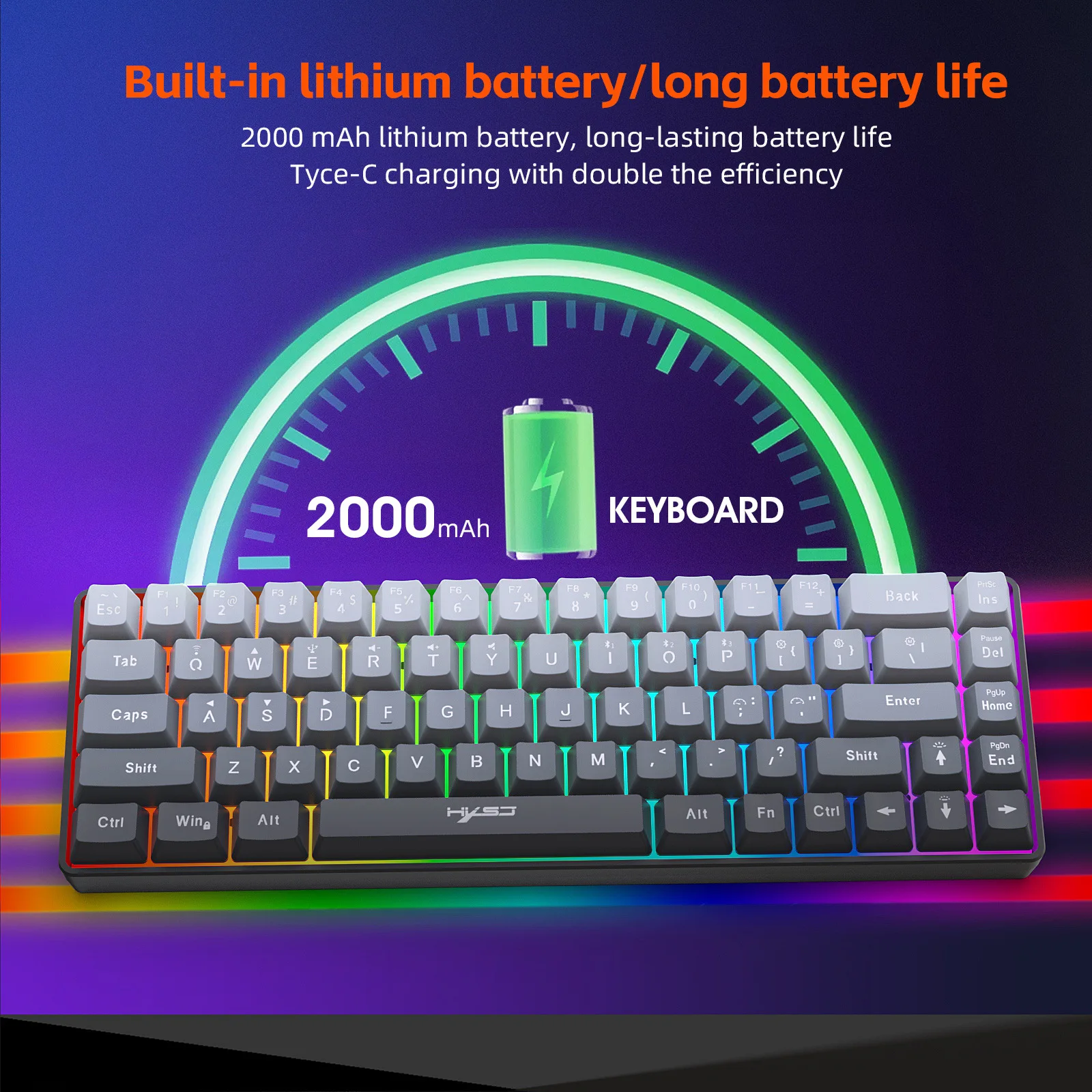
Equipped with a large 2000mAh rechargeable battery for prolonged usage; minimizes frequent charging needs (up to 80 hours on a single charge*).
4:Space-Saving Compact Layout:
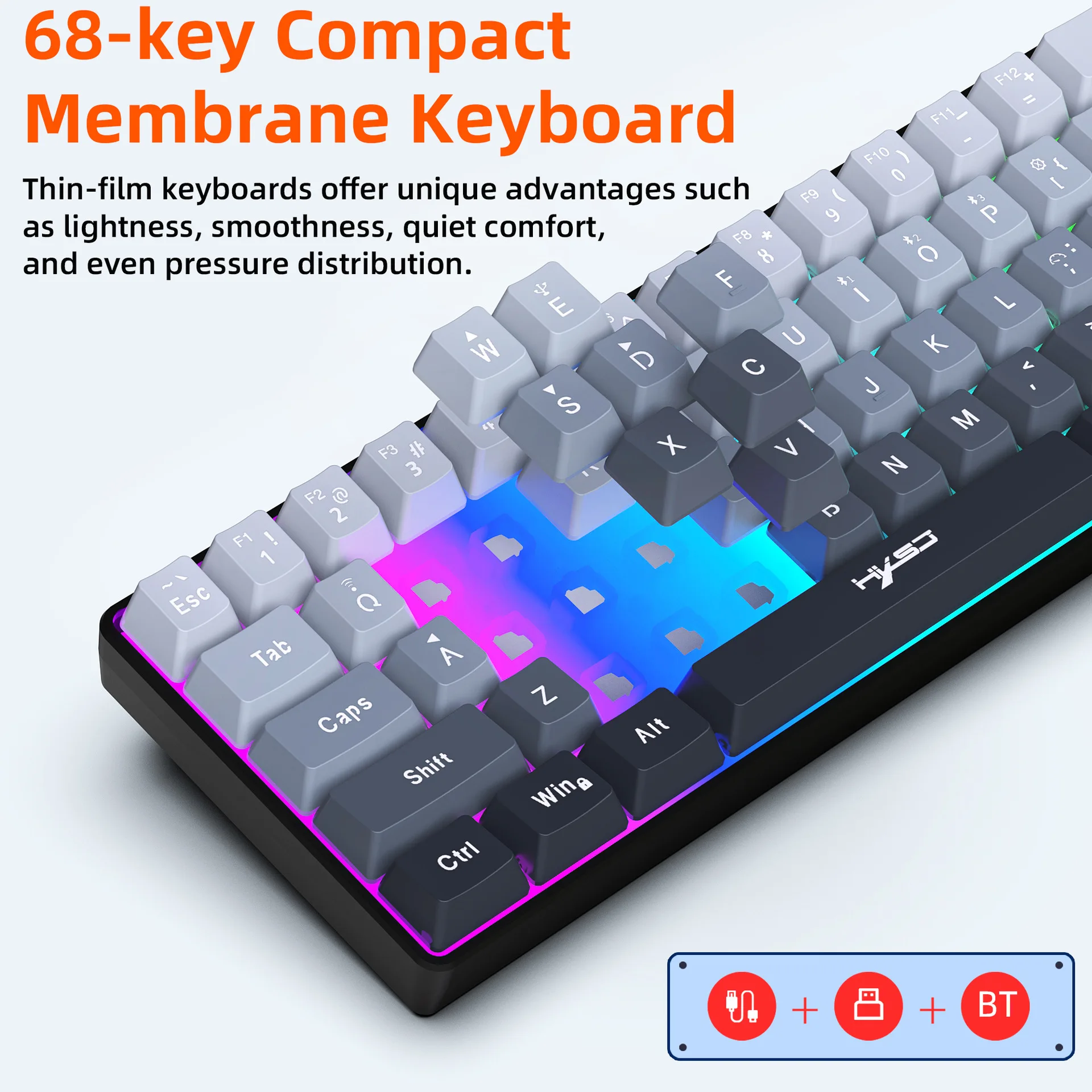
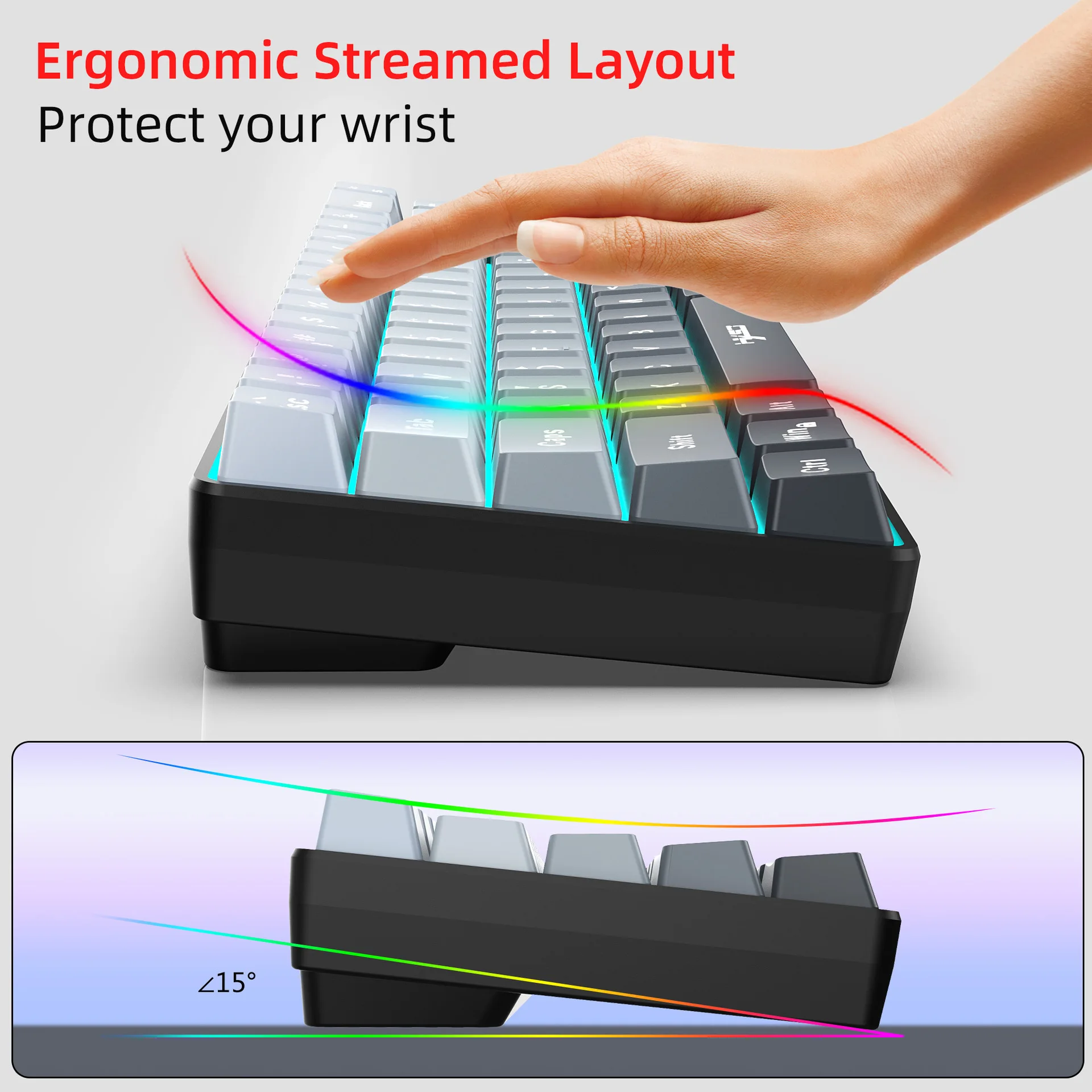
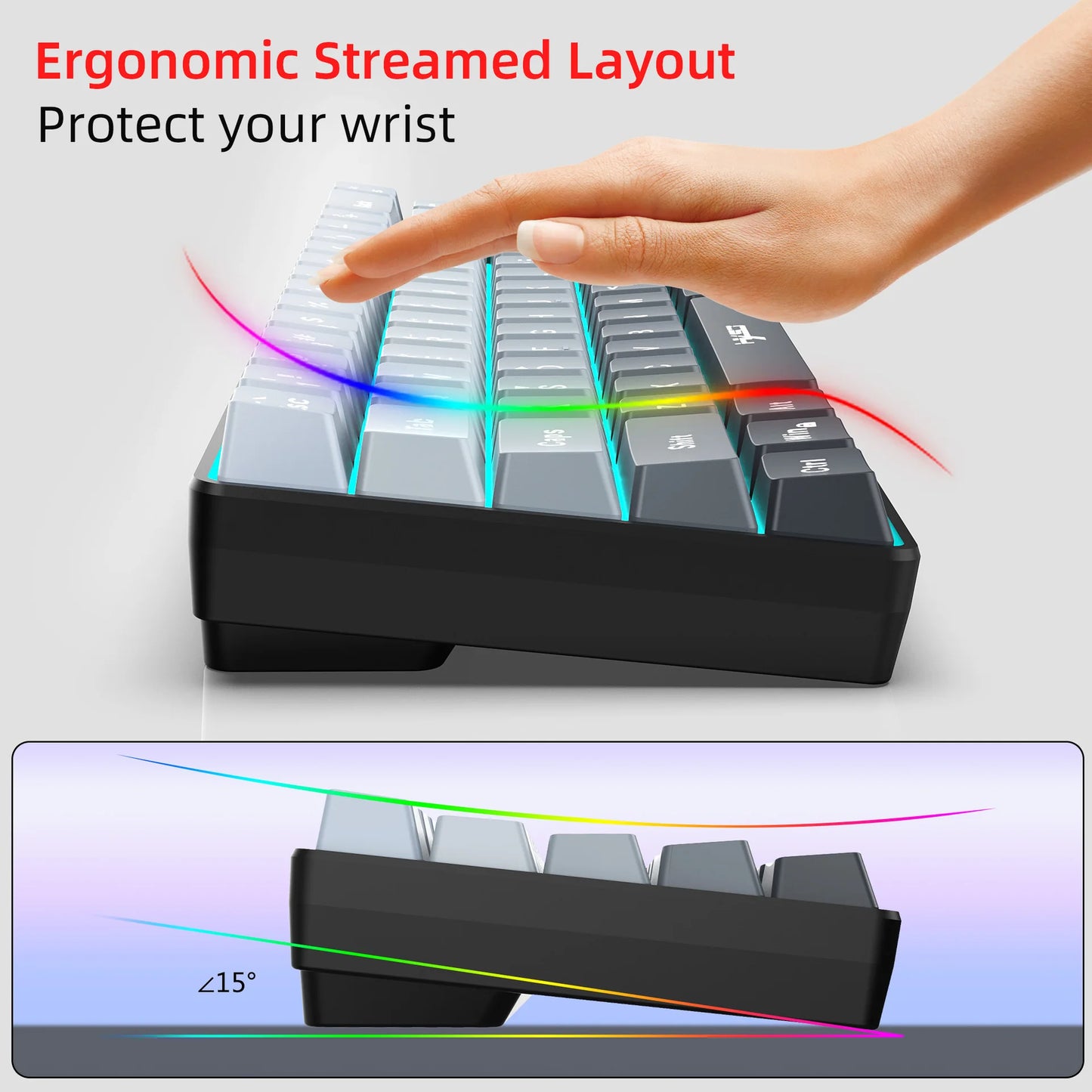
Utilizes a streamlined 68-key (65%) design to maximize desk space, enhancing efficiency for both gaming and productivity tasks.
5:Universal System Compatibility:
Works seamlessly across Windows, macOS, iOS, Linux, and Android platforms; enables effortless cross-device operation.
6:Comfortable Silent Typing:
Offers light, smooth keystrokes with even actuation and silent switches; reduces fatigue during extended typing sessions to maintain focus.
Specifications:
Product Name:V200 68-key Tri-Mode Membrane Keyboard
Connection Method: Wired + 2.4G + BT 5.0 Triple Mode Connection
BT Name: V200-BT Keyboard
Number of keys: 68keys
Keyboard interface: TYPE-C
Voltage/Current: 3.3V-4.2V/50mA
Character Process: Screen Printing
Keyboard material: ABS
Keycap process: Dual-shot molding
Key Lifespan: 10 million presses
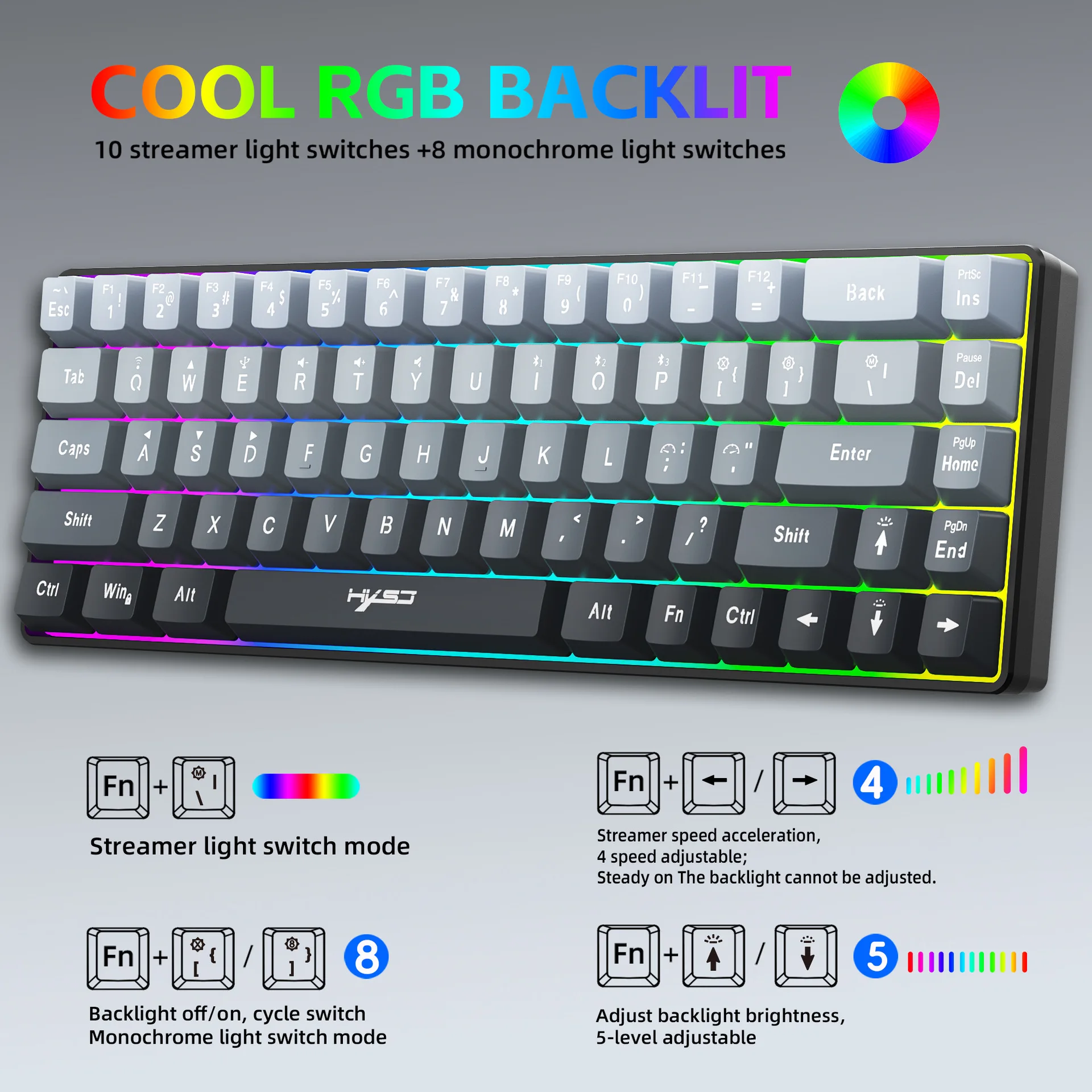
Lighting: RGB backlight (18 different lighting modes)
Battery Capacity: 2000mAh lithium battery
Multimedia: FN combined multimedia function keys
Cable Length: 170 cm
Product Dimensions: 31.1 x 10.1 x 4.3 cm
Net Product Weight: 400 g
Package Dimensions: 33.5 x 13.3 x 4.8 cm
Gross Product Weight: 542 g
Product Includes:
1 x V200 68-key Tri-Mode Membrane Keyboard
1 x Data Cable (170 cm)
1 x USB receiver
1 x User manual
System Requirements:
Windows 98/Me/2000/XP/Vista/ Win 7/Win8/Win10/Win11 or Mac IOS and Linux latest.
How to use:
Wired mode connection:
Press FN+E on the keyboard to switch to wired mode, then plug in the USB-to-Type-C data cable. No driver download is required; it's plug-and-play.
2.4G mode connection:
Press FN+Q once to switch to 2.4G mode. The indicator light will flash red. After inserting the USB receiver, the RGB lighting on the keyboard will stay on, allowing normal operation.
BT mode connection:
Press any of the three BT channels: FN+I, FN+O, or FN+P. After pressing the combination key, find the Bluetooth device named 'V200-BT Keyboard' from your computer's Bluetooth list, click to connect, and you can start using it.
Product Function Introduction:
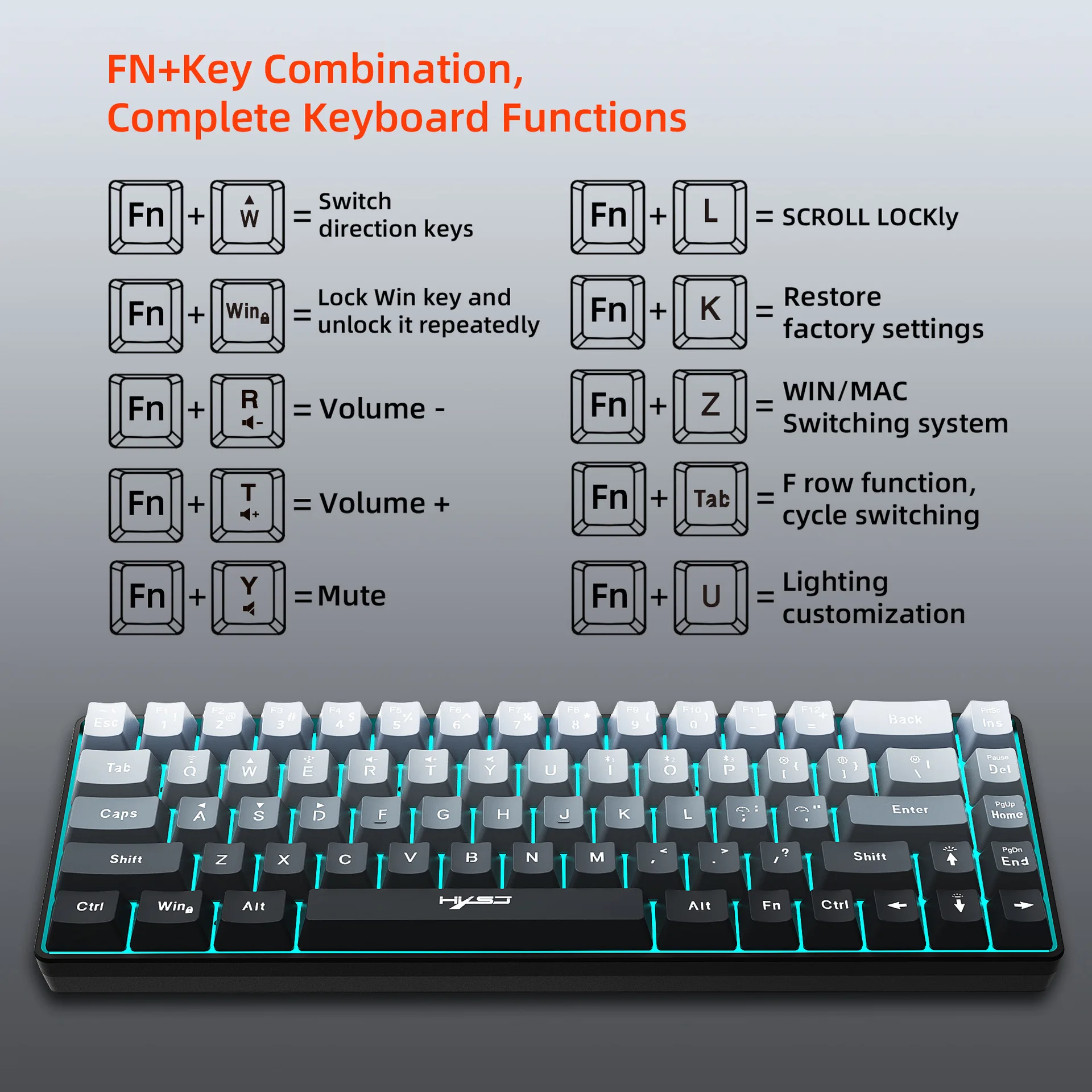
FN+ESC=~` FN+W: Toggle arrow keys
FN+1!=F1 FN+R: Volume down
FN+2@=F2 FN+T: Volume up
FN+3#=F3 FN+Y: Mute
FN+4$=F4 FN+{[ : Turn on/off light
FN+5%=F5 FN+]} : Switch between 8 colors
FN+6^=F6 FN+\|= Switch RGB modes
FN+7&=F7 FN+INS: Print Screen
FN+8*=F8 FN+DEL: Pause
FN+9(=F9 FN+HOME: Page Up
FN+0)=F10 FN+END: Page Down
FN+-_=F11 FN+Up Arrow: Increase light intensity
FN+=+=F12 FN+Down Arrow: Decrease light intensity
FN+Left Arrow: Change light flow direction
FN+Right Arrow: Change light flow direction
FN+WIN: Lock WIN key and lock APP key
FN+:; : Breathing slow FN+'": Breathing fast
FN+L: Scroll Lock FN+K: Restore factory settings
FN+TAB: Below F8, purple light stays on, number keys 1-0 switch to F row functions, cycling through.
FN+Z: Below F8, green light flashes three times, switch system. Cycle between Windows and MAC systems.
2. FN+U: Custom lighting (press three times quickly to enter custom mode). After entering custom mode, use FN+arrow keys to change the color of each light. Press FN+U twice quickly after changing to save.
3. Automatic sleep power-saving mode:
Supports automatic backlight off and keyboard sleep mode when no operation for 1 minute. Any key press will wake it up.